
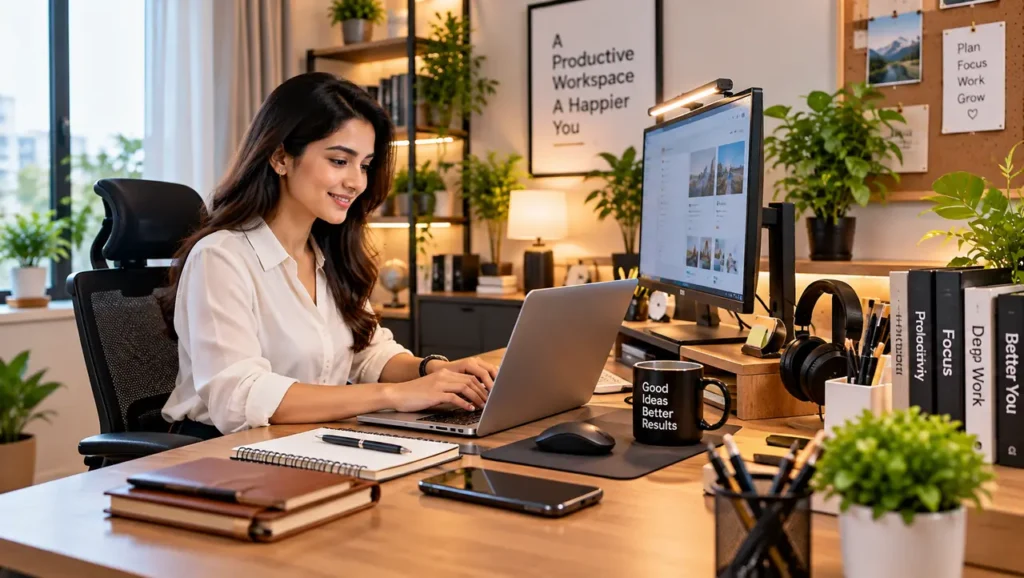
Working from home can be comfortable and convenient, but having the right workspace setup makes a big difference. A well-organized desk can help reduce distractions, keep important items within reach and make everyday work more comfortable.
Whether you work remotely, study from home, manage an online business or simply need a dedicated space for personal projects, choosing the right home office essentials can transform an ordinary desk into a practical and professional workspace.
You don’t necessarily need an expensive office setup. A few carefully selected products can improve organization, comfort, lighting and productivity.
In this guide, we explore 15 essential items for a home office and explain what to consider before buying them.
Why Are Home Office Essentials Important?
A home office is more than just a desk and a chair. Your workspace should allow you to work comfortably while keeping frequently used items organized.
The right accessories can help you:
- Keep your desk clutter-free
- Improve your sitting and working comfort
- Organize cables and electronic accessories
- Improve lighting
- Keep documents and stationery easily accessible
- Create a professional-looking workspace
- Reduce unnecessary distractions
- Make your work routine more efficient
Let’s look at the most useful items you can consider for your workspace.
1. Comfortable Office Chair
An office chair is one of the most important investments for a home workspace.
If you spend several hours working or studying, choose a chair with comfortable cushioning, good back support and adjustable height.
Look for:
- Adjustable seat height
- Comfortable backrest
- Suitable lumbar support
- Adjustable armrests
- Strong base and wheels
- Breathable material
A comfortable chair can make long working sessions much easier.
Also Read: 10 Essential Office & Study Accessories for a Productive Workspace
2. Functional Work Desk
A good desk provides enough space for your laptop or monitor, keyboard, notebook and other accessories.
You don’t always need a large executive desk. For smaller rooms, a compact computer desk can be a better choice.
Before buying, check:
- Desk dimensions
- Available storage
- Cable management options
- Build quality
- Surface space
- Compatibility with your chair
Choose a desk that fits comfortably into your room without making the space feel crowded.
3. Adjustable Desk Lamp
Good lighting is essential for a comfortable workspace, especially when working during the evening.
An adjustable LED desk lamp allows you to direct light exactly where you need it. Some models also provide different brightness levels and color temperatures.
A desk lamp is particularly useful for:
- Reading
- Writing
- Studying
- Computer work
- Night-time tasks
Avoid placing a bright light directly behind your monitor because it can create unwanted reflections.
4. Monitor Stand or Laptop Stand
A laptop or monitor that sits too low can make you bend your neck while working.
A monitor stand or adjustable laptop stand can raise the screen to a more comfortable viewing position.
It can also create additional storage space underneath for:
- Keyboard
- Notebook
- Small accessories
- Smartphone
- Documents
For people who work primarily on laptops, an adjustable laptop stand can be especially useful.
Also Read: Best Power Banks for Everyday Use: A Complete Buying Guide
5. Wireless Keyboard and Mouse
If you work on a laptop for several hours, using a separate keyboard and mouse can make the workspace more comfortable.
Wireless models also reduce cable clutter and provide a cleaner desk appearance.
When choosing a keyboard and mouse, consider:
- Comfort
- Battery life
- Connectivity
- Size
- Compatibility
- Build quality
A compact wireless keyboard can be a good choice for smaller desks.
6. Desk Organizer
A desk organizer is a simple way to control everyday clutter.
Instead of keeping pens, markers, scissors and small stationery items scattered around the desk, you can store them in separate compartments.
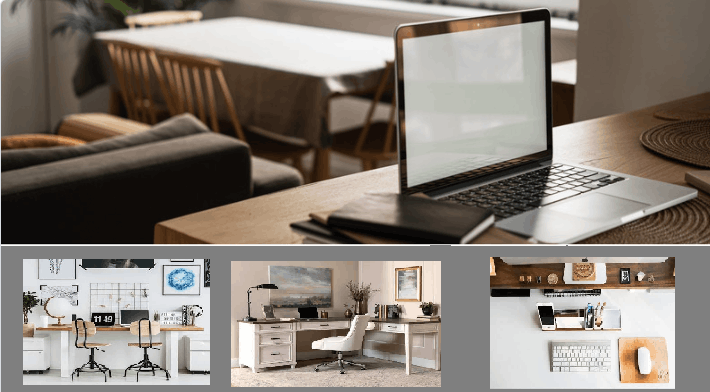
A good organizer can hold:
- Pens
- Pencils
- Highlighters
- Scissors
- Sticky notes
- Small stationery
This is one of the most affordable home office essentials and can make an immediate difference.
7. Cable Management Accessories
Modern workspaces can quickly become messy because of charging cables, USB cables, monitor cables and power cords.
Cable clips, cable sleeves and cable boxes can help keep everything organized.
Try to separate cables according to their purpose and label important cables if necessary.
A clean cable setup not only looks better but also makes it easier to identify and replace cables.
Also Read: 10 Essential Tools Every Homeowner Should Have | Complete DIY Tool Guide
8. USB Hub
Modern laptops often have fewer ports than older desktop computers.
A USB hub can provide additional connectivity for devices such as:
- Mouse
- Keyboard
- USB drives
- Card readers
- External accessories
- Other compatible peripherals
Before purchasing one, check the ports supported by your laptop and the type of connectivity you need.
9. Power Strip With USB Ports
A home office may require multiple charging connections.
A quality power strip can provide additional sockets for your computer, monitor, desk lamp and other devices.
Some models also include USB charging ports, which can be convenient for smartphones and other compatible devices.
Always choose a product from a reputable manufacturer and check its electrical specifications before use.
10. File and Document Organizer
Important documents should not be left scattered around your workspace.
A file organizer can help you separate:
- Bills
- Receipts
- Business documents
- Study notes
- Manuals
- Important papers
You can use labeled folders to make documents easier to find later.
This is particularly useful if you manage a home-based business.
11. Notebook and Planner
Even in a digital workspace, a notebook can remain extremely useful.
You can use it for:
- Daily tasks
- Meeting notes
- Ideas
- Shopping lists
- Project planning
- Study notes
A simple daily planner can also help you prioritize important tasks instead of trying to remember everything.
Also Read: 10 Best Kitchen Appliances for Indian Homes in 2026
12. Desk Mat
A large desk mat can provide a clean surface for your keyboard and mouse while also protecting the desk.
It can make the workspace look more organized and visually consistent.
When choosing one, consider:
- Size
- Material
- Surface texture
- Easy cleaning
- Anti-slip backing
Neutral colors can create a professional appearance, while other designs can add personality to your workspace.
13. Headphones or Headset
Noise can be one of the biggest distractions when working from home.
A comfortable pair of headphones can be useful for online meetings, music, video calls and focused work.
If you regularly attend online meetings, look for a model with:
- Clear microphone quality
- Comfortable ear cushions
- Good battery life
- Reliable wireless connection
For a shared home environment, noise-isolating or noise-cancelling headphones can also be worth considering.
14. Small Storage Boxes
Small storage boxes are useful for keeping accessories that you don’t use every day.
You can store:
- Extra cables
- Memory cards
- USB drives
- Chargers
- Batteries
- Stationery
- Small electronic accessories
Labeling each box makes it easier to find things later.
This is especially useful for people who have limited storage space.
15. A Small Plant or Decorative Element
Your workspace doesn’t have to look completely functional.
A small indoor plant, simple artwork or a minimal decorative item can make your office feel more comfortable and inviting.
However, avoid adding too many decorative objects. The goal is to create a workspace that feels pleasant without becoming cluttered.
How to Choose the Right Home Office Essentials
You don’t need to purchase everything at once.
Start by identifying the biggest problem with your current workspace.
If your desk is cluttered:
Start with organizers and cable-management products.
If you feel uncomfortable while working:
Look at your chair, desk height and monitor position.
If your workspace is dark:
Consider a good adjustable desk lamp.
If you have limited desk space:
Choose compact accessories and vertical storage.
If you work with multiple devices:
Consider a USB hub and an appropriate power-management solution.
This approach can help you spend money only on products that actually improve your workspace.
Budget-Friendly Home Office Setup
Creating a professional workspace doesn’t necessarily require a large budget.
You can start with:
- A comfortable chair
- A functional desk
- A desk lamp
- Laptop or monitor stand
- Keyboard and mouse
- Desk organizer
- Cable-management accessories
Once these basics are covered, you can gradually add headphones, storage boxes, a USB hub and other accessories.
Final Thoughts
A productive workspace is created through a combination of comfort, organization and functionality.
The best home office essentials are not necessarily the most expensive products. The right products are the ones that solve a specific problem in your workspace.
Start with the basics, keep your desk organized and gradually upgrade your setup as your work requirements change.
Whether you’re working remotely, studying, freelancing or running a home-based business, a well-planned workspace can make your everyday routine more comfortable and efficient.
Before buying any product, compare its features, dimensions, compatibility, warranty and user reviews to make a better decision.